Create Team Initiator:
Establishing your initiator teams is a crucial step in optimizing security and enhancing operational efficiency for your organization. This allows you to assign different teams to each wallet for maintaining a secure and efficient management of assets.
The owner or admin will have the privilege of creating the initiator teams that are assigned to each wallet. Initiator teams must consist of a minimum of 2 users.
Navigate to Settings and Add Team
- Locate the "Settings" option within your Liminal interface and select "Add Team"
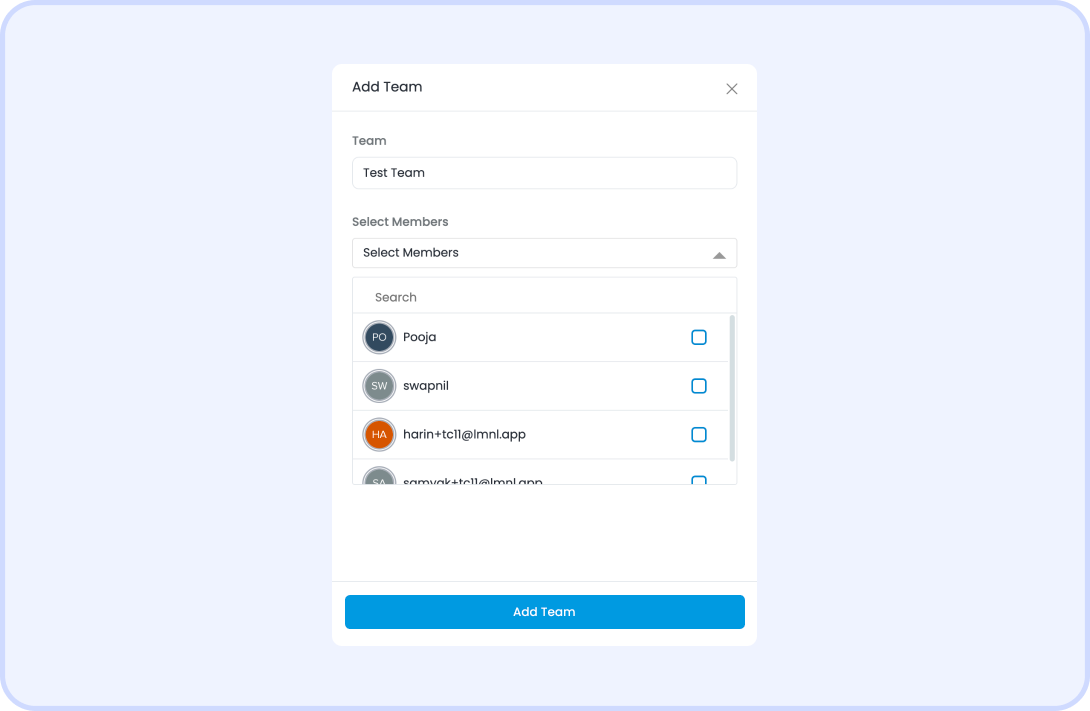
Input Team Name and Select Members
- Provide a suitable name for your team and select your team members. You'll also have the option to set several Initiators (minimum 2) required for transactions.
View Your Team List
- To review your team details, navigate to “Settings”, under User Management > Teams section, and click on "View". Here, you'll find a comprehensive list of the team, its members, and their respective statuses.
Once the team is set up with the designated initiators, it is ready for use. You can now proceed to create your Cold Wallet, marking a key step toward secure digital asset management.
Was this article helpful?
That’s Great!
Thank you for your feedback
Sorry! We couldn't be helpful
Thank you for your feedback
Feedback sent
We appreciate your effort and will try to fix the article