KYC Completion:
To access all dashboard features, users must complete a KYC verification, including submitting identification, proof of address, and a selfie. Upon approval, users will gain full access to the platform's functionalities.
Know Your Customer (KYC):
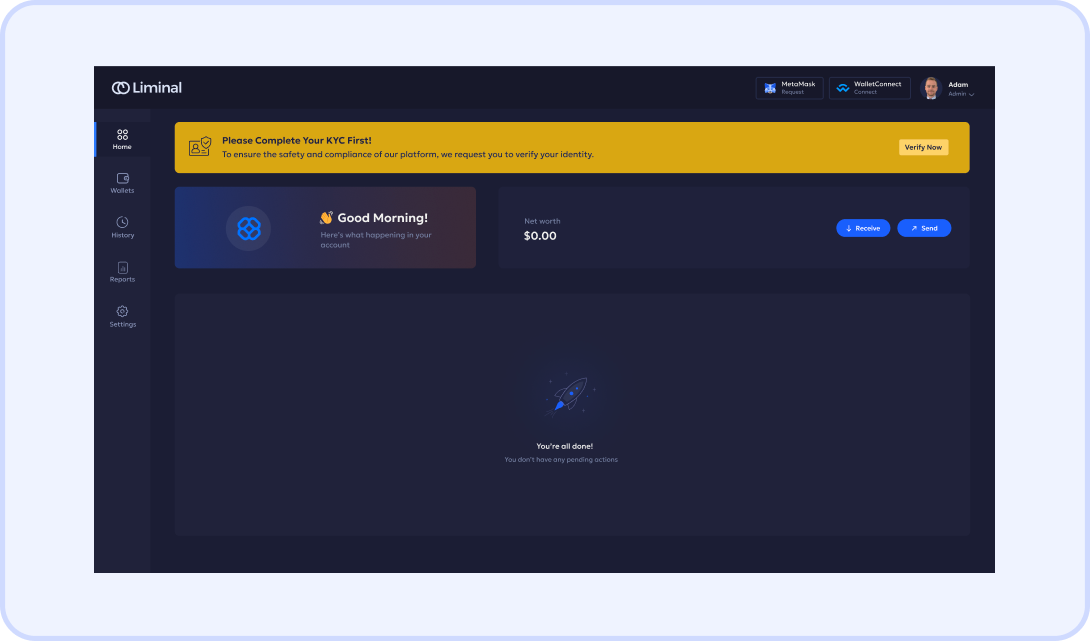
- Once the customer accesses the dashboard, they will see a 'KYC Pending' status on the homepage, as shown below.
- Complete your Know Your Customer (KYC) Process by clicking on “Verify Now” and submitting the necessary information and documents for completing KYC.
Start Verification
Click the "Verify Now" button.
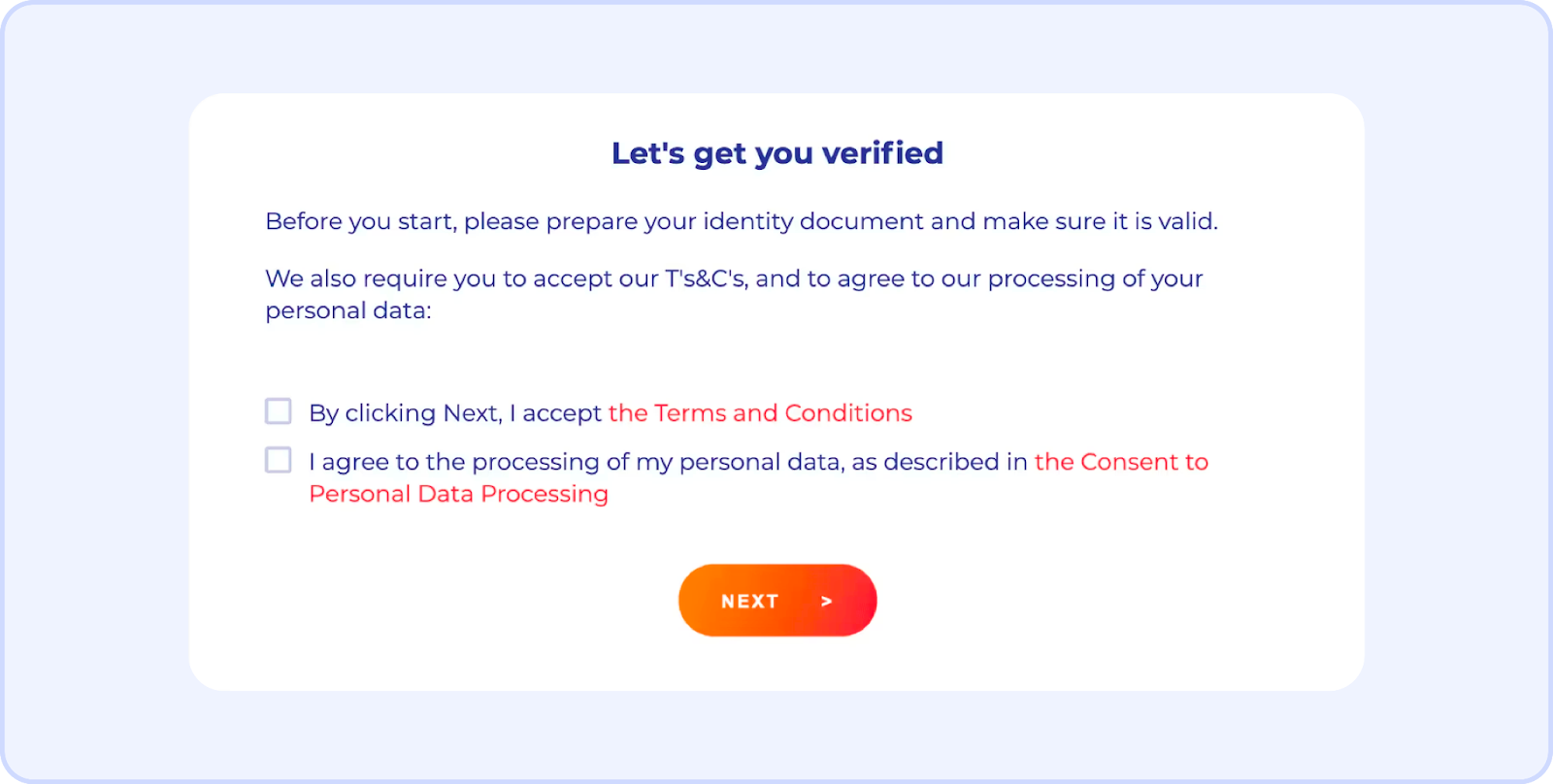
Document Upload in Sumsub UI:
You'll be redirected to Sumsub's interface.
- Upload your proof of Identity and proof of address.
- Upload the required documents as specified to support the verification process.
- Provide Selfie verification.
System Validation:
The system checks the accuracy of the documents provided.
- If rejected, you will be prompted to retry the verification process.
- Upon approval, you will be redirected back to the Custody Platform.
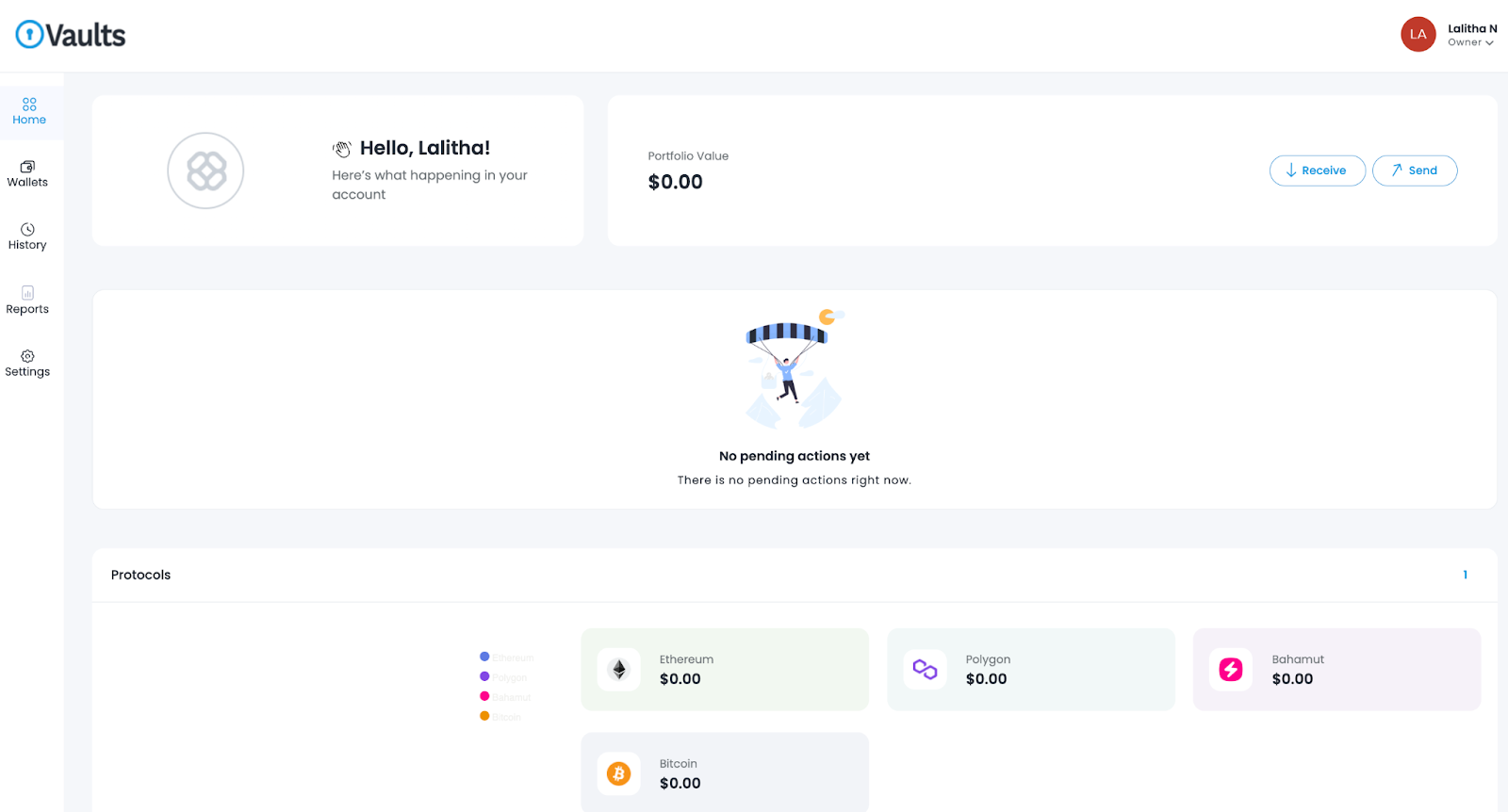
Customer Dashboard Access :
After successful verification, customers will be able to navigate to the Home Page shown below and gain full access to the platform's functionalities.
Was this article helpful?
That’s Great!
Thank you for your feedback
Sorry! We couldn't be helpful
Thank you for your feedback
Feedback sent
We appreciate your effort and will try to fix the article