Steps on Withdrawing Assets/ Initiating a transaction:
This process consists of three key steps. Firstly, either a member, admin, or owner initiates the transaction. Next, the transaction proceeds through a second and/or third initiation, depending on the number of initiators set during the wallet creation. The last approver must complete a liveness check to verify their identity, after which the transaction initiation is successfully completed.
Access the Platform:
- Log in to the custody platform
- Navigate to the Vaults UI.
Initiate Transaction:
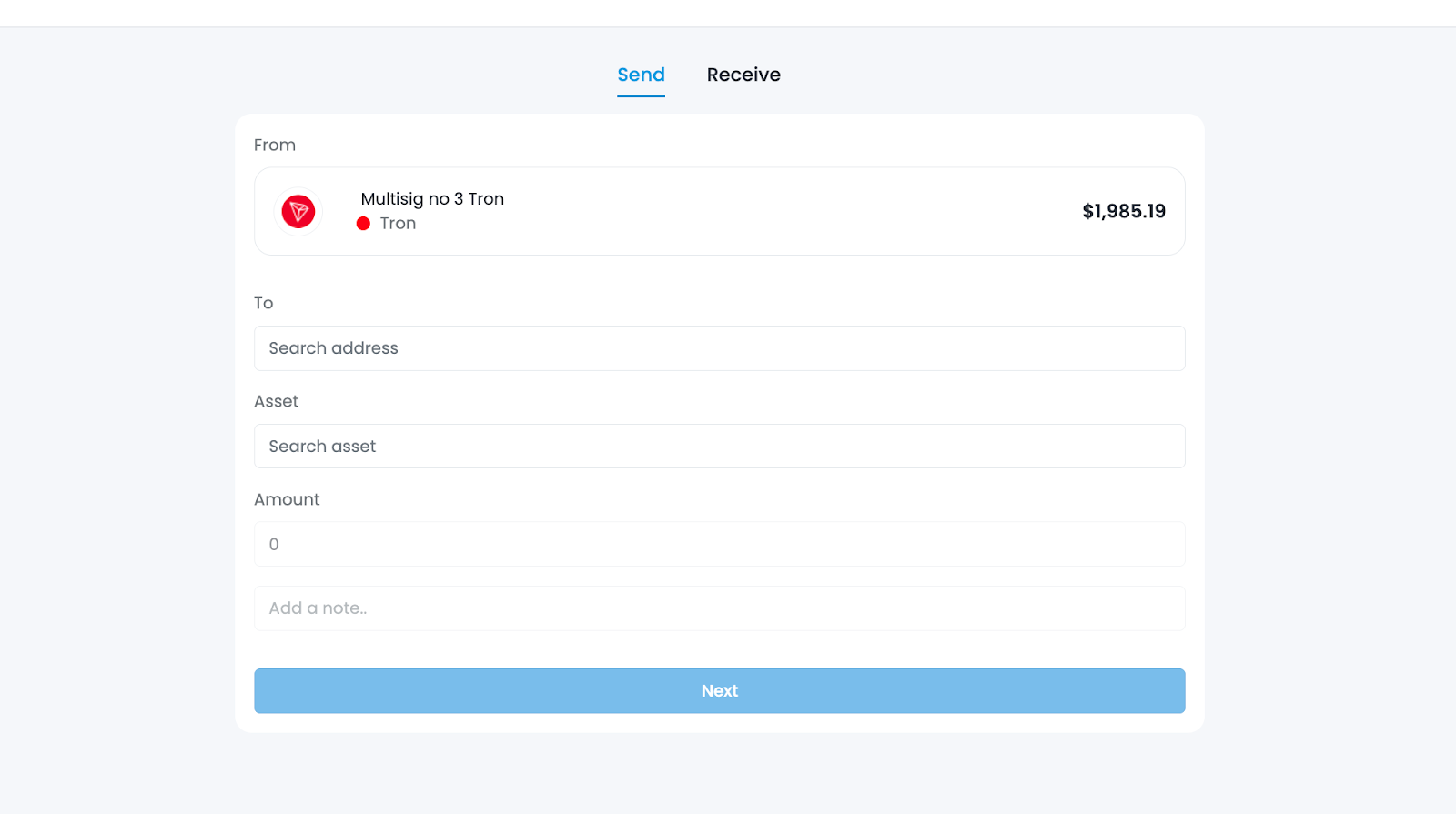
- Click the "Send" button, either from the home page or within a specific wallet on the Wallet page.
Whitelisting an Address
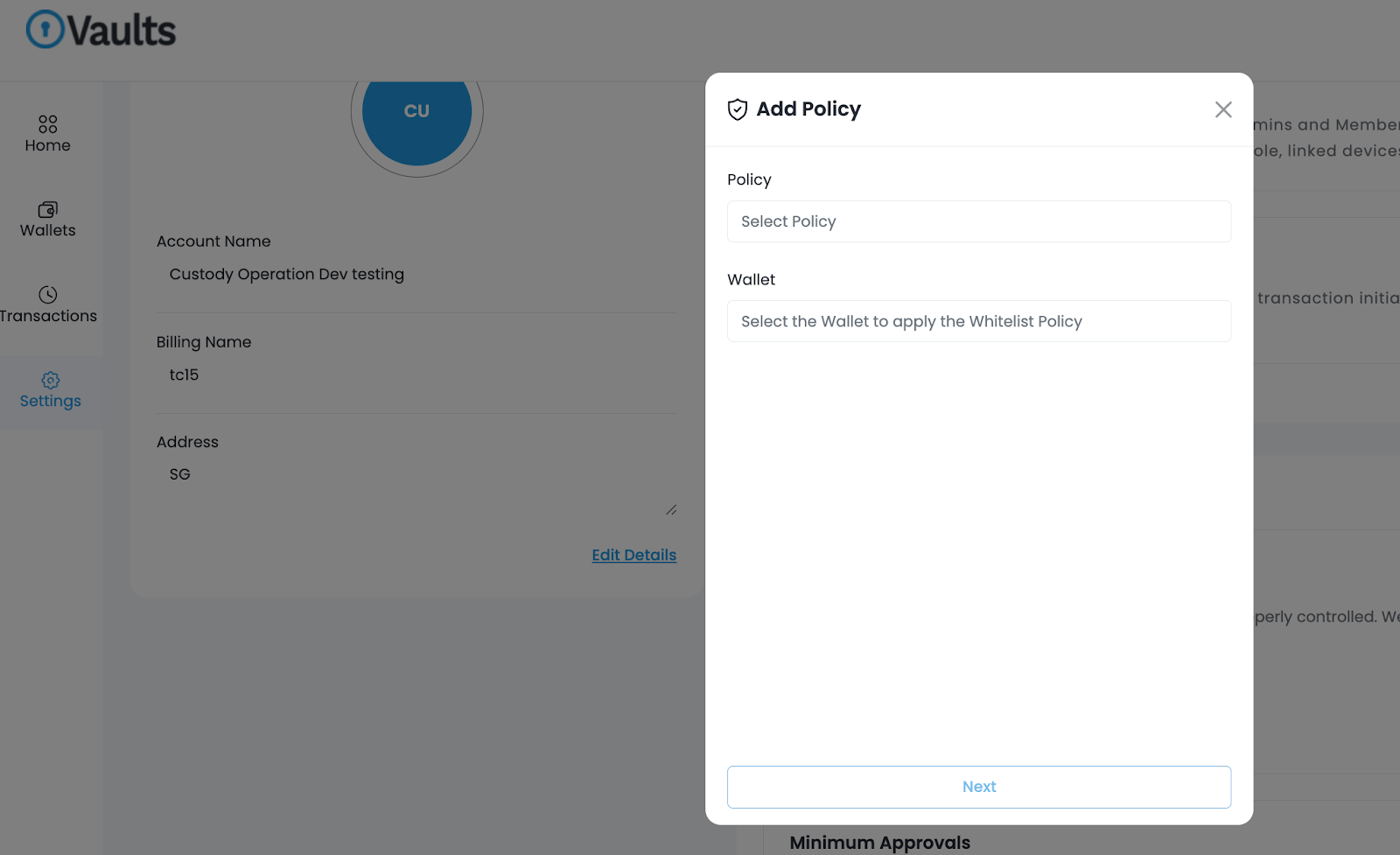
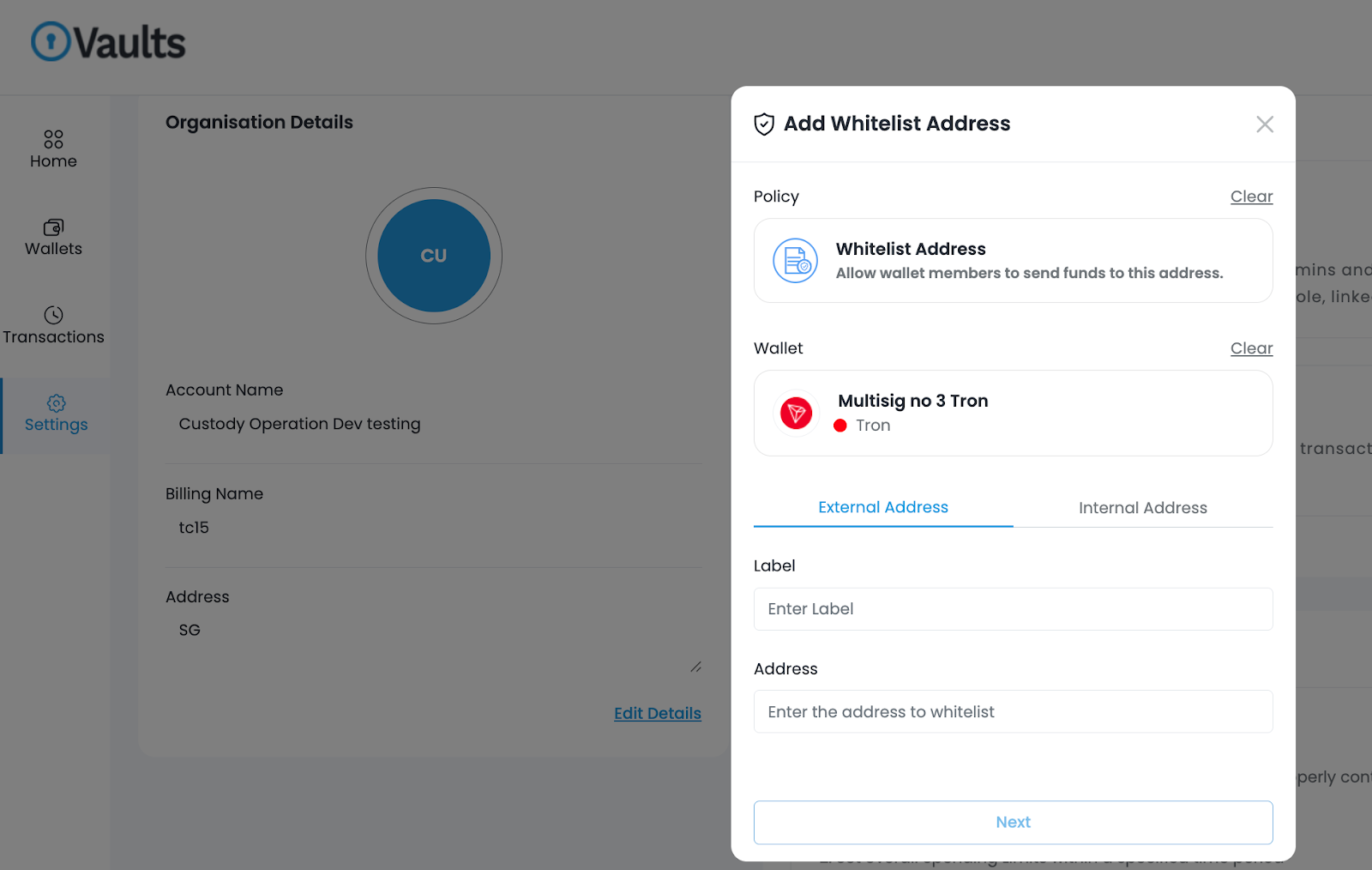
- To send to a new address, first whitelist it.
- Access the "Settings" menu from the dashboard or sidebar.
- In "Settings", find the "Policy Rules" section and click “Add” to start the Whitelist Address process.
Transaction Details:
- Select an existing wallet.
- Choose the target address in the "To" field. Note: You can only send it to a whitelisted address.
- Pick the desired digital asset from the wallet's available options.
- Enter the transaction amount and, if needed, add notes or memos.
- After Pop-up:
- Select VASP & Continue: Choose the VASP and proceed.
- Originator PII: Enter the originator's PII, then continue.
- Beneficiary Details: Fill in beneficiary information, then click "Save & Continue"
- Follow the 2FA verification process.
- Successful initiation of the transaction.

Quorum Approval & Final Initiator Confirmation:
- After obtaining quorum approval, the initiator needs to complete the liveliness check to complete the transaction initiation process.
Was this article helpful?
That’s Great!
Thank you for your feedback
Sorry! We couldn't be helpful
Thank you for your feedback
Feedback sent
We appreciate your effort and will try to fix the article